
2084: Can you predict the view count of a video from its thumbnail?
ThumbnailViewMamba or How I learned to stop worrying and love the bot.


While I was working on getting music generation to work(which was much more difficult than I thought, and had so many failed attempts), I had a small idea: Since videos on youtube attract attention mostly from its thumbnail and title, can you use a Mamba model to predict the viewcount from its thumbnail and title?
We will proceed in the usual way, starting with the dataset, then going on to the model and the training loop, all of which will be provided in the colab.
This will be a multi part series.
For the first part, we’ll just try to overfit it on a small dataset, to see if the VMamba can do something sensible. Then in the second part we’ll work on scaling up the dataset massively. In the third part, we’ll introduce BERT and introduce text embeddings into the model(because the title is also important). And finally, in the fourth part, we’ll use RLHF as adapted to diffusion models, to create the ultimate thumbnailbot.
V1 Dataset
For the first dataset, I used pytube to do searches on youtube, and download all the thumbnails to a local folder, thumbnailsv5/train, and create a metadata.csv file that associates the file_name with the view count.
This is due to using the huggingface datasets format, which requires the images to be in a folder called “train” or “test”, and for the metadata.csv table, to have a column called “file_name”, which is the base name of the images, which it uses to associate images with the view count. I also clean the title for now, this is something I will have to look at, but huggingface doesn’t like too many emojis in the name, and it causes the dataset to fail.
from pytube import Search
import requests
import os
import csv
import re
def download_thumbnail(url, path):
    """Download a video thumbnail."""
    response = requests.get(url)
    if response.status_code == 200:
        with open(path, 'wb') as file:
            file.write(response.content)
    else:
        print("Failed to download thumbnail.")

def write_to_csv(file_name, views, title, video_id, output_path):
    """Write video information to a CSV file."""
    with open(output_path, mode='a', newline='', encoding='utf-8') as file:
        writer = csv.writer(file)
        writer.writerow([file_name, views, title, video_id])


def clean_title(title):
    """Remove special characters from the title."""
    new_title =  "".join(x for x in title if x.isalnum() or x in " -_").strip().replace(" ", "_")
    new_title = re.sub(r'[^0-9a-zA-Z_]', '', new_title)
    return new_title

def get_videos_info(search_queries, max_results=100, output_path="thumbnails"):

    """Get information on videos based on a search query."""


    # Ensure the thumbnails directory exists
    if not os.path.exists(output_path):
        os.makedirs(output_path)

    csvfile = os.path.join(output_path,'metadata.csv')
    # Prepare the CSV file with headers if file doesn't exist
    if not os.path.exists(csvfile):
        with open(csvfile, mode='w', newline='', encoding='utf-8') as file:
            writer = csv.writer(file)
            writer.writerow(['file_name', 'views', 'title', 'video_id'])
    for search_query in search_queries:
      s = Search(search_query)
      results = s.results
      index = 0
      try:
        while index < max_results:
            if index >= len(s.results):
                s.get_next_results()
                s.get_next_results()
            video = results[index]
            title = video.title
            views = video.views
            if views < 500:
                print("too few views")
                index += 1
                max_results = max_results + 1
                continue
            video_id = video.video_id
            thumbnail_url = video.thumbnail_url
            safe_title = clean_title(title)

            thumbnail_path = os.path.join(output_path,f'{safe_title}_{video_id}.jpg')
            if os.path.exists(thumbnail_path):
                print(f'Thumbnail already exists: {thumbnail_path}')
                index += 1
                max_results = max_results + 1
                continue
            download_thumbnail(thumbnail_url, thumbnail_path)

            # Write video info to CSV
            write_to_csv(thumbnail_path.split("/")[-1], views, re.sub(r'[^0-9a-zA-Z_]', '', title.replace("_", " ")).replace("_", " "), video_id, csvfile)

            print(f'Title: {title}')
            print(f'Views: {views}')
            print(f'Thumbnail downloaded to: {thumbnail_path}\n')
            print(f'Video ID: {video_id}\n')
            index += 1
      except IndexError:
          pass


# Example usage
search_queries = ['AI', 'Tech', 'Sales', "Business", "Fun", "Video games", "Development", "Texas", "Politics"]
get_videos_info(search_queries, output_path=output_path)
V1 Model
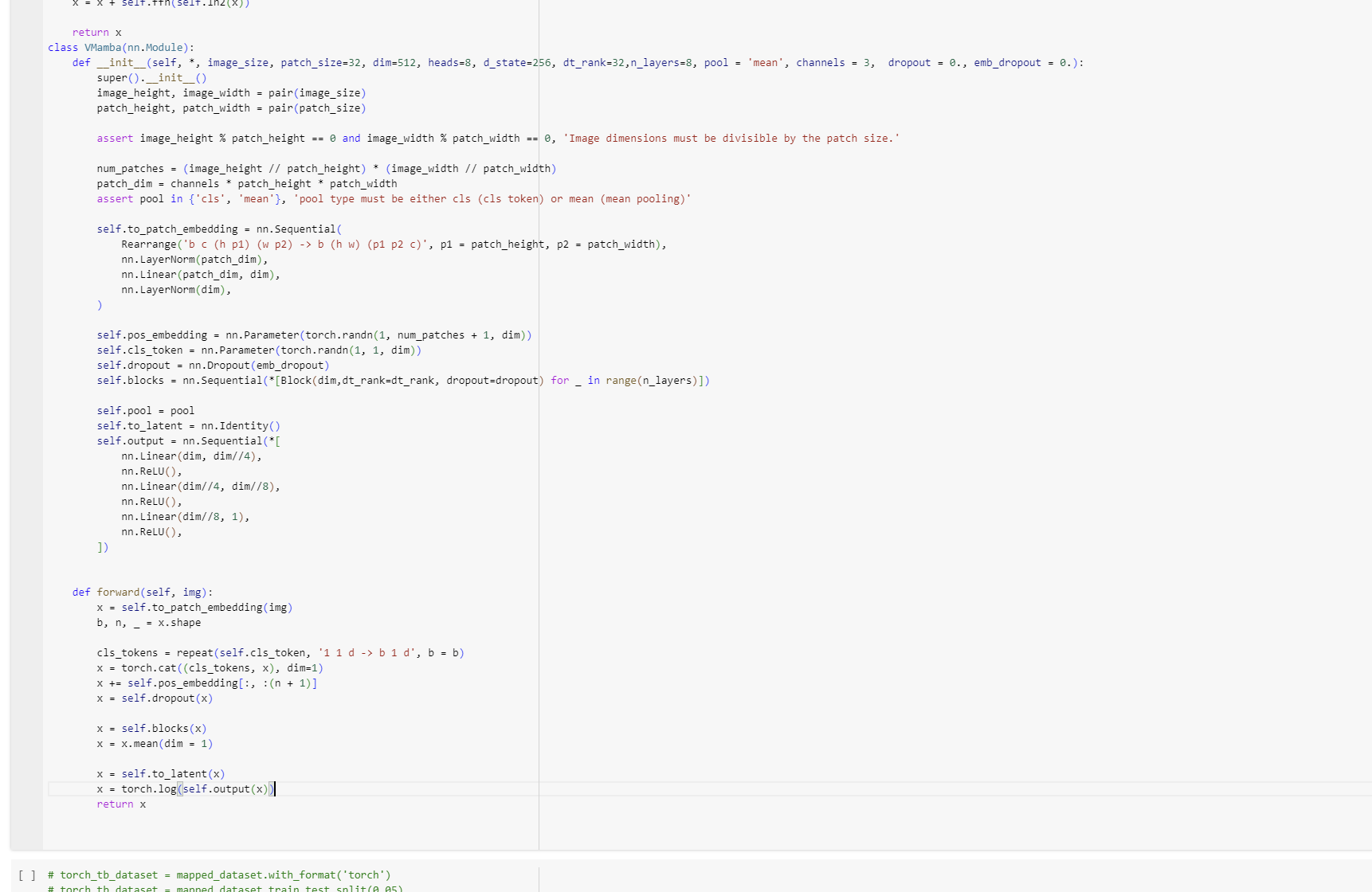
For the model, I looked at using VisionMamba, but it didn’t quite work and was difficult to install, and seemed to essentially just be using ViT, or the VisionTransformer as a base, so I decided to go to the source and use the original ViT as a base.
How ViT works is that it takes an image, divides it into patches(or parts of the image), linearly projects it, puts it in a row, and then applies a transformer model over the series to get an output which calculates the entanglement between different parts of the images, which I then feed into a small feed-forward network to get a single viewcount.
See the gif for more(which I took from the github).

Or basically, to put it in simpler terms:
Remember, Transformers, despite a lot of hype, don’t in fact operate on tokens. What they operate on are series of what are called “embeddings”, basically vectors in R^d.
Essentially they turn matrices of size nxd to matrices of size nxd where the elements have all been combined together. Thus, to apply transformers to new modalities, you need to figure out how to transform whatever you’re working with, to a series of d dimensional vectors, or a matrix.
For images, you could even transform the whole image into a single (hxw) dimensional vector, but that would be very inefficient(it would only result in a very large matrix of (hxw) by 1). So what you do, is you break the image down into subimages, and you turn each of those into a 1 dimensional vector by essentially applying a feedforward network and reshaping to turn the h by w image into a hxw vector. Then you concat it all together to form the matrix needed for transformers, and voila, image modality.
Anyways, feel free to check out the model section in the colab to see exactly what I did.
V1 Training Loop
Now here I’m doing something different. Essentially, I’m training the model to predict the log of the views, and not the views themselves. This was done, after trying a lot with the absolute value of the views, and realizing that it was just wayy too unstable - the loss would oscillate wildly and never settle down, no matter how low your learning rate would be.
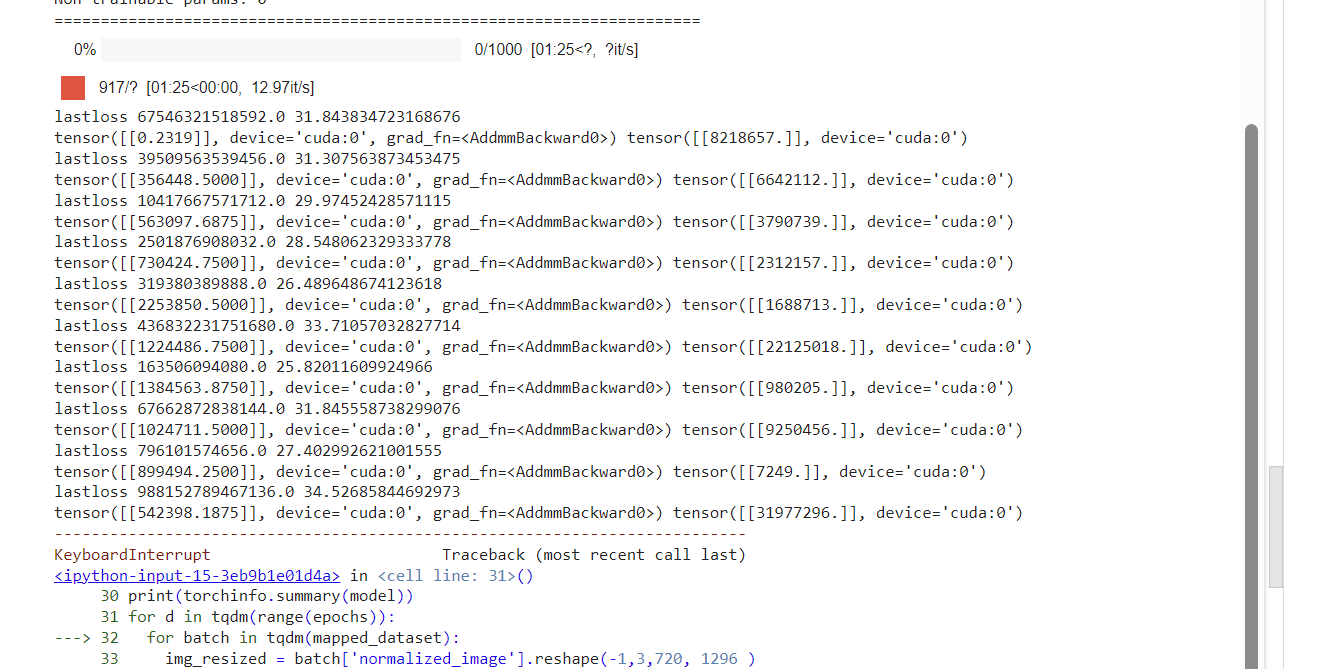
This makes sense, as was explained in a reddit post I asked about this, since the views are “multiplicative”, i.e. you care more about relative sizes(x is 2x as big as y), rather than direct sizes(when you have a million views, you don’t really care whether thats 1 000 000 or 1 000 008 but if you’re taking the direct loss it does).
Anyways, after training my model for 600 iterations, I got the following loss graph:
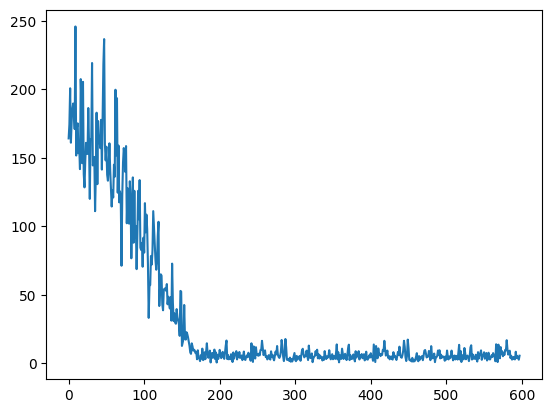
This graph was heartening, since the loss was clearly going down, but it hit a wall. Since my dataset was only about 1200 examples, I choose to believe it’s due to not having enough data to train on. Given that my model is about 55 million parameters, the amount of data is not near enough to saturate it. Thus for the next post, I’m planning to massively scale it up - see if I can reach 1 million video thumbnails to train on, which should give me enough data to really be able to predict something sensible.
Some Examples
To show that it is predicting something, here are some examples I semi-randomly pulled by searching “AI” and “Tech”. I tried to keep to videos posted after I collected the data for the current run, to prevent too much cross-contamination.
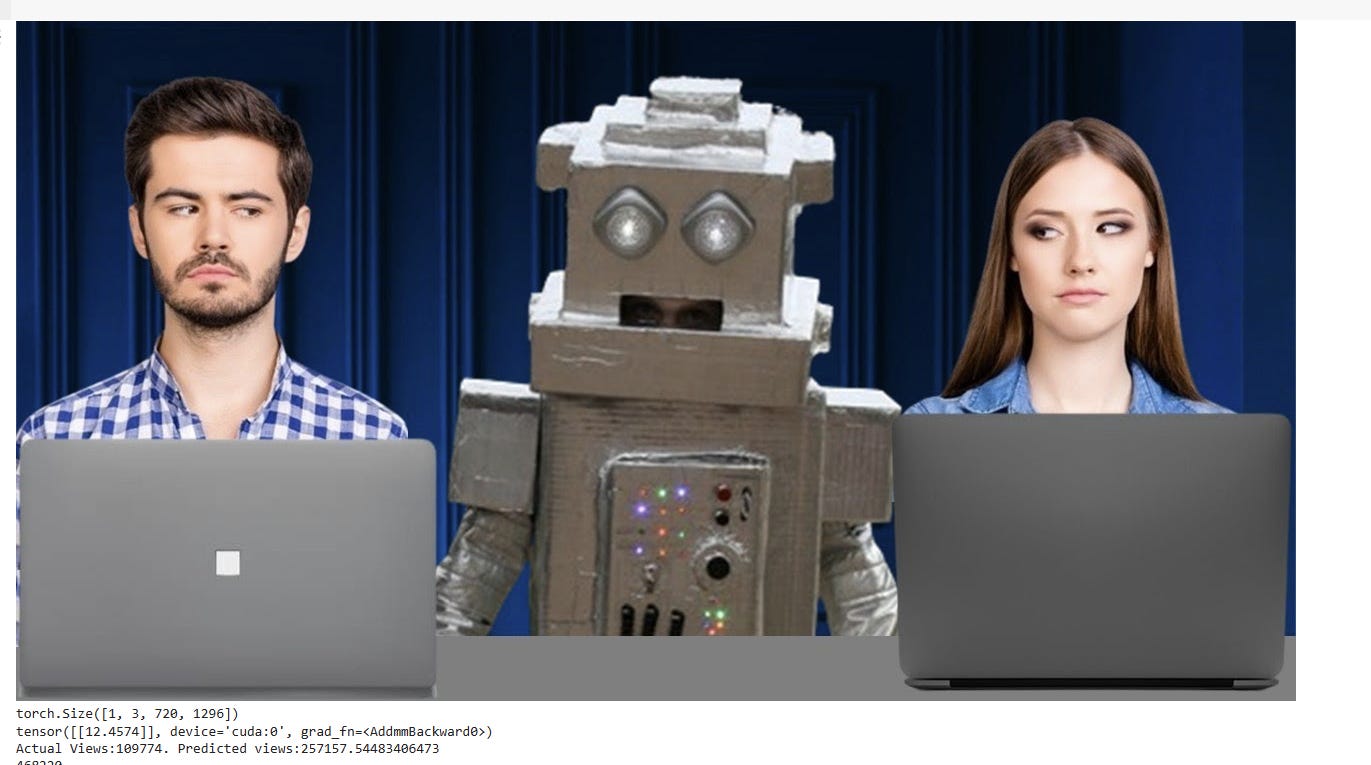
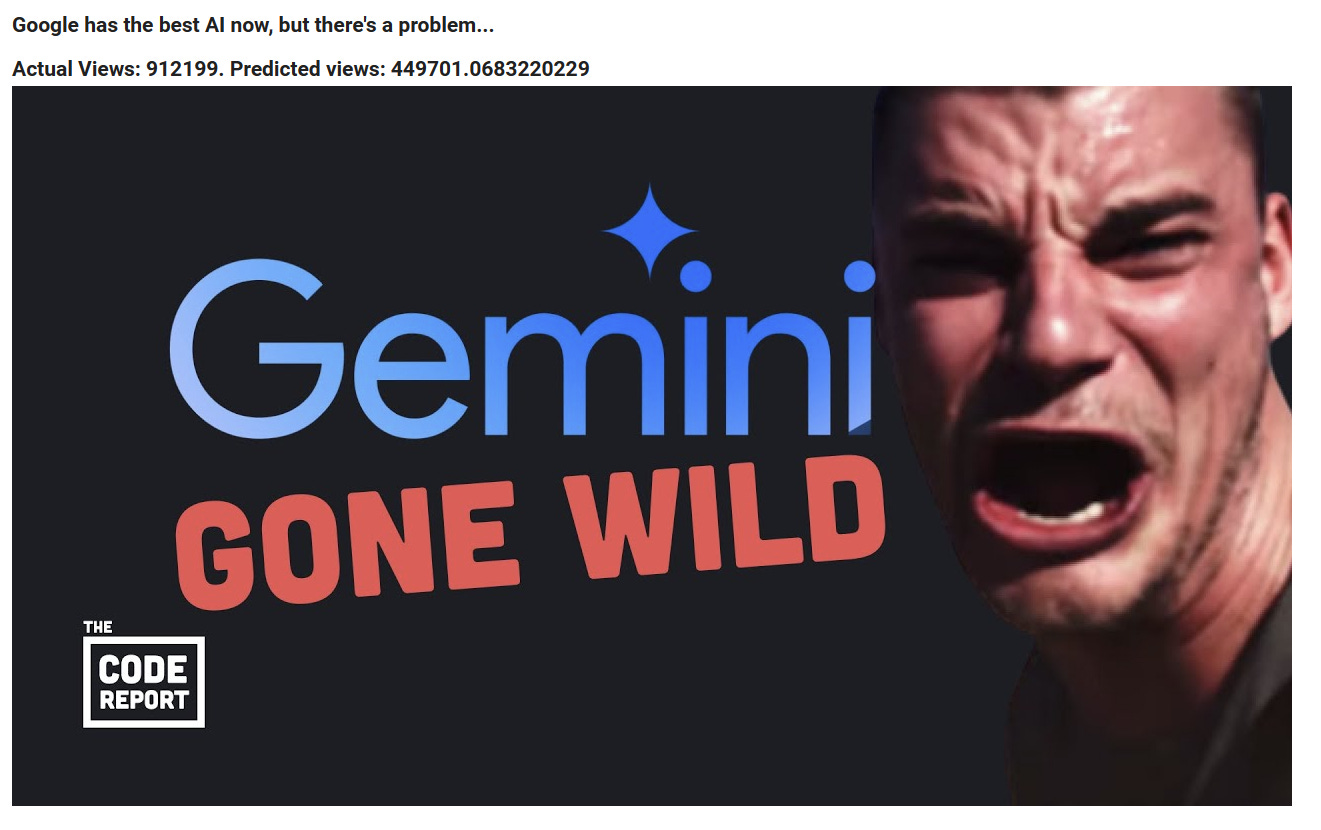

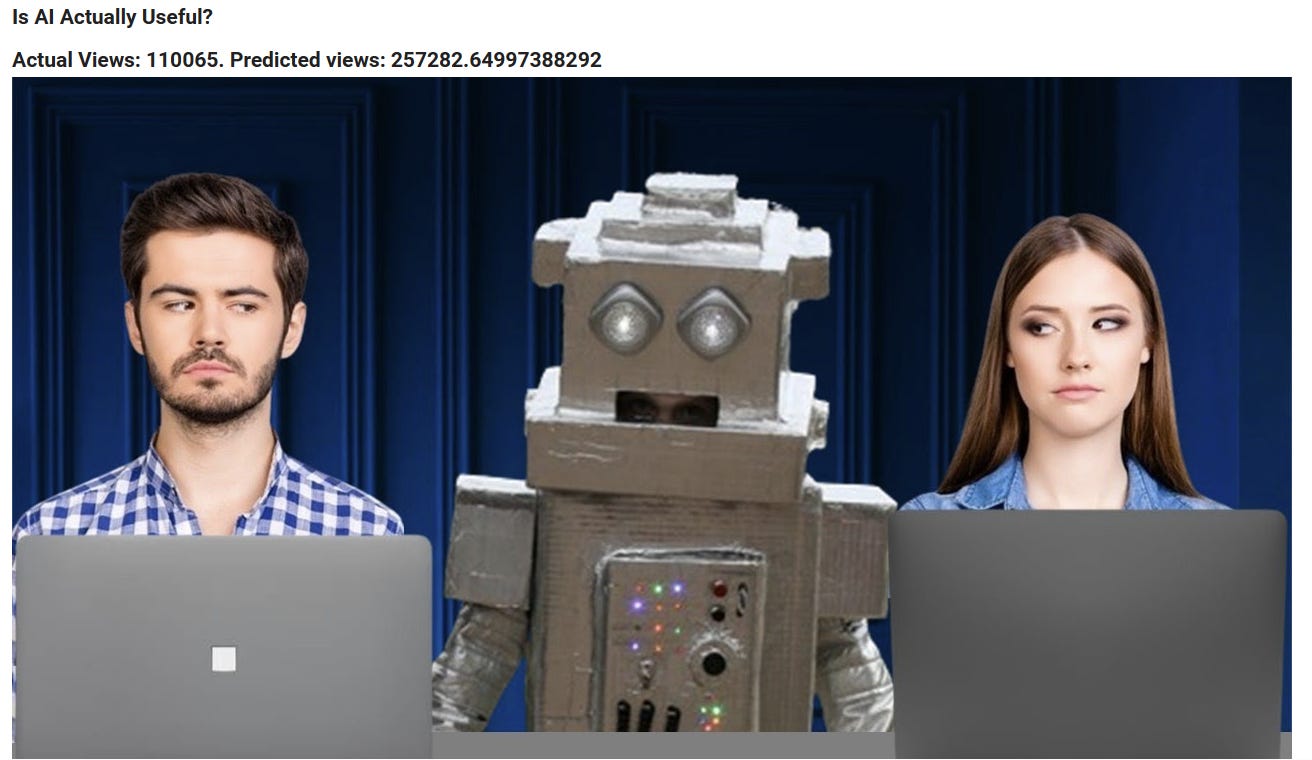

As you can see, while the counts aren’t perfect, they’re certainly “ballparking” something, as the more views the video has, the higher the view count prediction seems to be! This is quite heartening, as it indicates that the model is measuring something, and hopefully with more data it’ll be even more accurate.
Any suggestions or comments would be welcome! Also please subscribe if you can(it makes the brain feel good to see imaginary internet points go up).
Here is the access to the Colab notebook.